
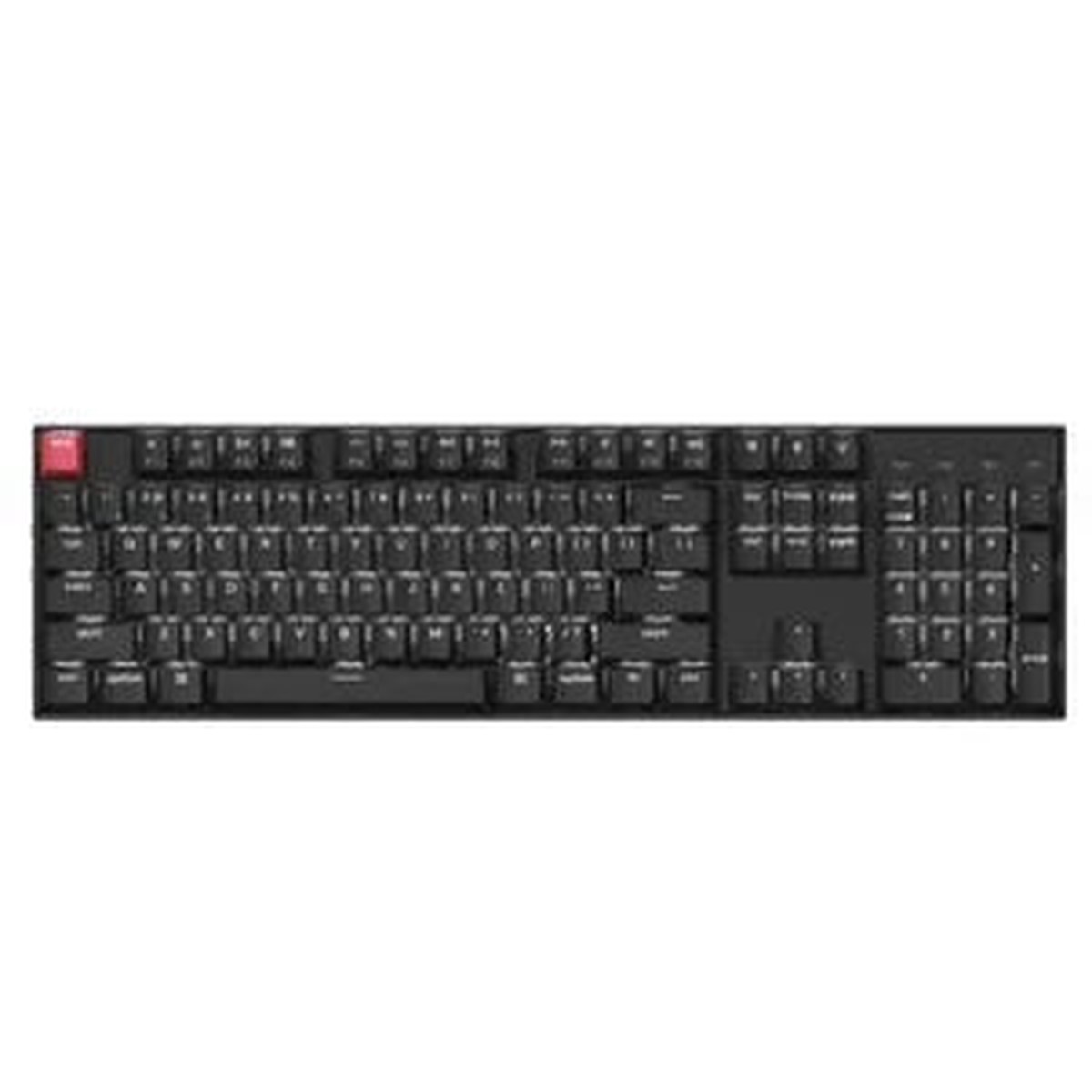
Description
The Keychron K10v2 is a full-size wireless mechanical keyboard built for serious typing, coding, and data-entry work, featuring tactile Brown switches and the powerful customization surface of QMK firmware.
With a complete 104-key layout that includes a dedicated number pad and a familiar navigation cluster, the K10v2 keeps your productive shortcuts within easy reach. The Brown switches deliver a distinct tactile bump without the loud click, making long writing sessions and late-night edits comfortable without disturbing others nearby.
QMK-powered customization for a personalized keyboard
What sets the K10v2 apart is its deep integration with QMK firmware. This opens up advanced customization options that go beyond standard keyboard firmware: you can remap keys to fit your workflow, craft practical macros for repetitive tasks, and build layered layouts that switch the keyboards behavior to match the task at handwhether youre coding, drafting documents, or crunching data.
Flexible connectivity for multi-device workflows
The K10v2 is designed to adapt to how you work. Use Bluetooth to connect to multiple devices and switch between them in seconds, whether youre typing on a laptop, desktop, or tablet. When latency matters most, plug in via USB-C for a stable, low-latency wired connection that feels instant in fast-paced editing or precise key-sensitive work.
Designed for productivity across apps and tasks
The full-size layout keeps your familiar shortcuts intactno cramping your workflow with awkward key placements. The navigation cluster accelerates spreadsheet navigation, document editing, and code navigation, while the number pad streamlines data-entry tasks, formula input, and financial work. This isnt just a keyboard; its a versatile control surface that scales from everyday tasks to complex workflows in professional environments.
Use cases and who benefits most
- Coding sessions: map language-specific shortcuts to a convenient set of keys for faster navigation, editing, and compilation.
- Data-entry and spreadsheets: leverage the full numeric keypad and efficient navigation to speed up cell selection and formula work.
- Content creation and editing across multiple monitors: assign macros for formatting, clipboard actions, or quick tool launches to streamline production pipelines.
- Education and research: comfortable, responsive typing for long note-taking, assignments, and data analysis tasks.
Practical tips to get the most from the K10v2
Start with a stable baseline by remapping your most-used keys to a predictable layout and saving a couple of macros for repetitive steps. Use layered layouts to quickly switch between a Typing layer and a Code layer, where function keys, syntax shortcuts, or editor commands become readily accessible. When youre transitioning betwee

Reviews
There are no reviews yet.