
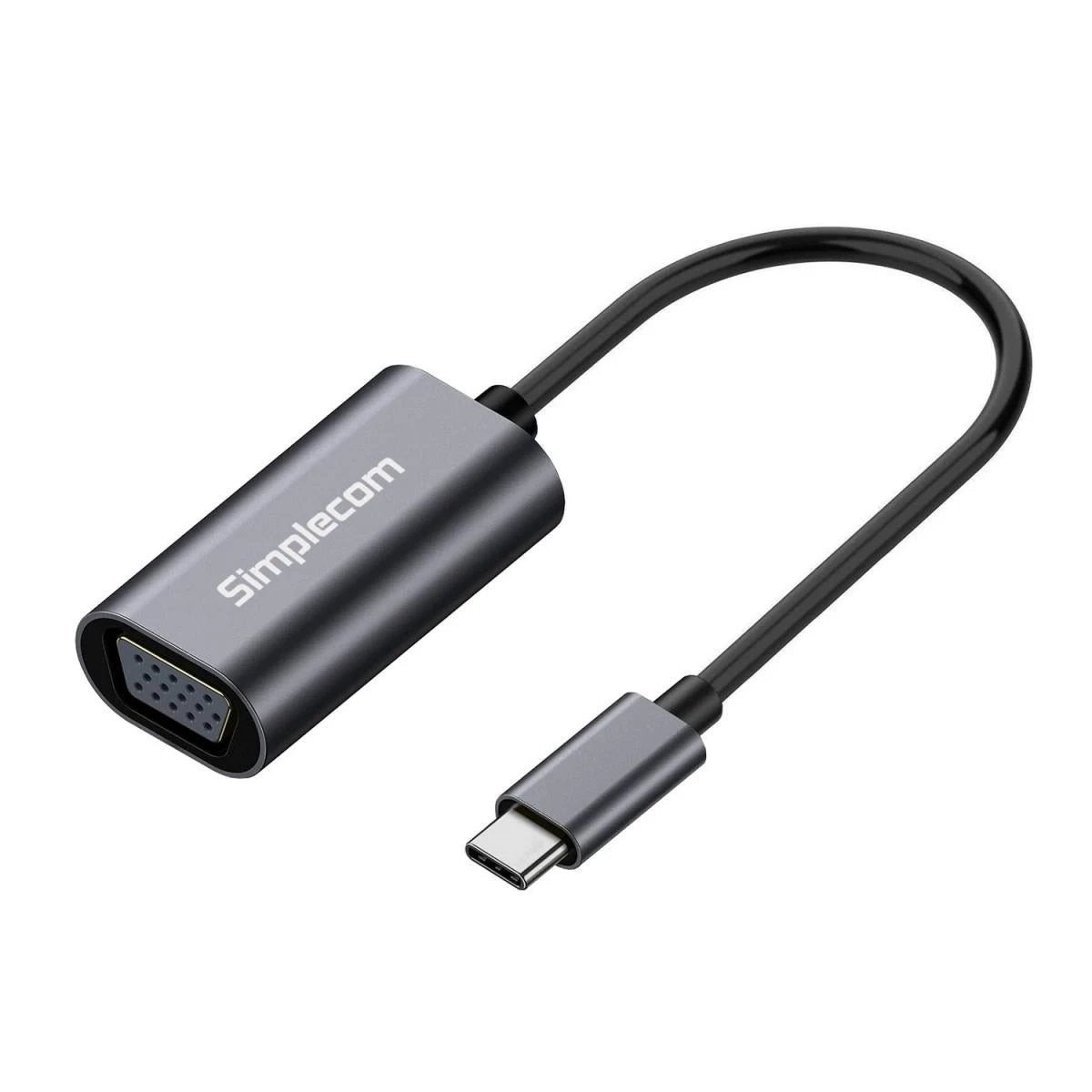
Description
Designed for mobile professionals, classroom presenters and homeoffice users who need reliable external display output from a USBC source to a VGA monitor, the Simplecom DA104 delivers crisp Full HD visuals with quick, plugandplay setup. Its compact aluminium enclosure fits neatly in a laptop bag for onthego use.
Technical specifications
- Video output: VGA (HD15) female; maximum resolution 19201080 @ 60 Hz; 24bit colour depth for sharp text and smooth colour gradients.
- Interface: USBC male to VGA; requires DisplayPort Alternate Mode (DP Alt Mode) on the host port.
- Build and length: satinfinish aluminium housing; integrated cable approximately 1520 cm for tidy, portable setups.
- Power/driver: plugandplay; no external power supply or drivers needed on supported devices.
Compatibility and system requirements
- Requires a USBC host with video output (DP Alt Mode); compatible with VGA displays and standard VGA cables.
- Not intended for USBA to VGA or HDMIonly outputs; no additional software required on compatible systems.
Setup and installation
1) Connect the USBC end to your device. 2) Attach a VGA cable from the monitor to the DA104. 3) Select the VGA input on the display. 4) Set the host output to 19201080 at 60 Hz for optimal clarity.
Warranty and support
The DA104 is backed by the manufacturers warranty with dedicated customer support. Refer to the included documentation for terms and how to obtain assistance or a replacement if needed.
Reviews
There are no reviews yet.